Compare the 11 best QR code scanner apps of 2026 for Android and iOS. Find free and secure QR code reader apps with fast scanning, top ratings, and advanced features.
Most users already have the best QR Code scanner they need. Android 9+ and iOS 11+ read QR codes natively through the built-in camera, so no app is required. Just open your camera, point it at a code, and tap.
The apps in this list are for three use cases: users on older devices without native scanning, anyone regularly scanning codes from unfamiliar sources, and professionals who need scan history, CSV export, or batch scanning.
This list covers the top 11 QR Code scanner apps evaluated on security standards, alongside platform support, privacy practices, and feature depth.
TL;DR: Most smartphone users do not need a dedicated QR Code scanner app. Android 9+ and iOS 11+ handle everyday scanning natively through the camera app. If you do need a dedicated app, the only criterion worth caring about is whether it shows you the destination URL before redirecting. Of the apps reviewed here, only TrendMicro's Safe QR delivers that reliably. For everyone else, the native camera is enough.
Do you actually need a QR Code scanner app in 2026?
Probably not. Android 9, released in 2018, and iOS 11, released in 2017, added QR Code scanning directly to the native camera app. If your phone is less than eight years old, you already have a scanner built in.
You do not need a dedicated QR Code scanner app if:
- Your phone runs Android 9 or later, or iOS 11 or later
- You scan QR Codes occasionally from sources you recognize and trust
- You do not need scan history, export, or batch scanning features
You do need a dedicated QR Code scanner app if:
- Your device is older and the native camera does not detect QR Codes
- You regularly scan QR Codes from unverified sources, such as at events, in retail environments, or from marketing materials from brands you have not engaged with before
- Your work requires scan history, CSV export, or the ability to scan non-QR barcodes
For users in the first group, the rest of this article is worth a quick scan for the comparison table alone.
What should you look for in a QR Code scanner?
If you want an app to overcome your native camera’s inability to scan QR Codes, look for a scanner app compatible with your OS and offers good security. Having URL preview is also a good feature to have to avoid quishing. Below are some primary parameters to consider in a QR Code scanner app.
- OS compatibility: The app should be readily available on the Play Store or App Store and must be constantly updated.
- URL preview: The app should display the destination URL before opening the link. This can let you decide whether to continue.
- App permissions: It must scan QR Codes without requiring unnecessary permissions or prompting other actions on your mobile device (barring the camera).
- Data privacy: The app must have stringent data privacy and security compliance, as QR Codes can sometimes lead to malicious websites or apps.
- User-interface: It should also have a clean and intuitive UI, making the scanning process straightforward.
At a glance: The best QR Code scanner apps in 2026
The table below covers the most decision-relevant factors across all 10 reviewed QR Code reader apps. The URL Preview column is the fastest way to identify which apps offer functional quishing protection versus which provide fast, reliable scanning for everyday use.
| App | Platform | Free? | Redirect? | Ads? | Best For |
|---|---|---|---|---|---|
| TrendMicro Safe QR | iOS + Android | Yes | Yes | No | Security-first scanning |
| QR & Barcode Scanner (Gamma Play) | iOS + Android | Yes | No | Yes | Feature-rich free option |
| QR Code Reader (TeaCapps) | iOS + Android | Yes | No | No | Scan history and CSV export |
| QR & Barcode Reader (QR SCAN Team) | Android | Yes | No | No | Batch scanning, power users |
| QR Scanner (Simple Design) | Android | Yes | No | No | Lightweight, no extras |
| QR Reader for iPhone (TapMedia) | iOS | Yes | No | No | iPhone users, multi-format |
| QR Code Reader (MixerBox) | iOS | Yes | Partial | No | Multi-fromat, scanning speed |
| Google Lens | iOS + Android | Yes | No | No | Google ecosystem users |
| Binary Eye | Android | Yes | No | No | Privacy-focused, offline |
| NeoReader | iOS + Android | Yes | No | No | Multi-format barcode scanning |
Top 10 QR Code scanner apps in 2026
Below are the best QR Code scanner apps for your mobile.
1. TrendMicro's Safe QR Code Reader
Platform: iOS + Android | Rating: 4.6/5 | Security Tier: 3 | URL Preview: Yes
TrendMicro is a cybersecurity company, and that background shows in how Safe QR Code Reader is built. It is the only app in this review that consistently shows you the full destination URL before opening it, then cross-references that URL against TrendMicro's threat intelligence database. If the link matches a known phishing or malware domain, the app flags it before your browser loads anything. You decide whether to proceed.
URL Preview: Yes. The app decodes the QR Code, displays the destination URL, and prompts you with an open or cancel decision. This is Tier 3 behavior. Most apps that claim security features stop at Tier 2.
Safe QR Code Reader does not offer CSV export, multi-format barcode scanning, or the batch scan functionality found in some Tier 2 apps. The interface is functional rather than polished. For users whose primary need is feature depth rather than security, one of the Tier 2 apps below is likely a better fit.
For users who regularly scan QR Codes from sources they do not fully trust, such as event signage, retail point-of-sale codes, direct mail from unfamiliar companies, or QR Codes in emails, this is the clear recommendation. It is the only app on this list that earns the "secure" label on technical grounds rather than marketing ones.
Available free on Google Play and the App Store.
2. QR & Barcode Scanner by Gamma Play
Platform: iOS + Android | Rating: 4.5/5 | Security Tier: 2 | URL Preview: No
With over 500 million downloads, QR & Barcode Scanner by Gamma Play is the most widely installed dedicated scanner app available on both platforms. That install base reflects something real: the app is reliable, scans fast, and handles a broad range of barcode formats alongside QR Codes.
The core features are solid. Scan history keeps a searchable log of every code you have read. Quick scan mode launches from a home screen widget without opening the full app. Multi-format barcode support covers UPC, EAN, Data Matrix, and several others, useful if you scan product labels or retail codes alongside QR Codes.
Like most scanner apps, Gamma Play opens QR Code links immediately without showing you the destination URL first. If you are regularly scanning from untrusted sources, TrendMicro's Safe QR is the better fit.
The app is free with ads. The ad experience is manageable for occasional scanning; frequent users may find it more disruptive.
Best for: Android and iOS users who want a reliable free scanner with scan history and broad barcode support, and who are scanning from sources they already trust.
Available on Google Play and the App Store.
3. QR Code Reader by TeaCapps
Platform: iOS + Android | Rating: 4.5/5 | Security Tier: 2 | URL Preview: No
TeaCapps differentiates on the export side. Scan history is available in most dedicated scanner apps, but TeaCapps lets you export that history as a CSV file. For fieldwork, audits, or any workflow where you need to log and share what was scanned, that export feature changes the app from a convenience tool into a documentation tool. The zoom-in function is also practical: it helps when scanning small or low-resolution QR Codes on product packaging or in low-light conditions.
TeaCapps, like the majority of scanner apps in this category, redirects you to the destination immediately after decoding, without displaying the URL first. It means the app does not protect against quishing attacks.
The interface is clean and permission-light. No aggressive data collection, no excessive ad interruptions.
Best for: Users who need scan history with export functionality. Field teams, auditors, procurement teams, and anyone who scans QR Codes as part of a documentation or compliance workflow.
Available on Google Play and the App Store.
4. QR & Barcode Reader by QR SCAN Team
Platform: Android | Rating: 4.5/5 | Security Tier: 2 | URL Preview: No
QR SCAN Team's scanner is built for Android power users. Batch scanning lets you process multiple QR Codes in quick succession without relaunching the app between scans. The auto-redirect toggle is the standout setting: you can disable automatic link-opening so the app pauses on the decoded URL before doing anything with it.
That toggle is worth noting, but it is not the same as Tier 3 URL preview. Turning off auto-redirect gives you a moment to read the raw URL manually. It does not run the URL against a threat database or flag suspicious domains. The protection depends on your ability to recognize a suspicious URL, not on the app's analysis.
QR SCAN Team follows the same category convention: after decoding, links open directly, with no automated URL check between the scan and the redirect. The manual pause provides partial control for users comfortable evaluating URLs themselves.
Best for: Android power users who want batch scanning capability or prefer to review decoded URLs manually before any link opens.
Available on Google Play.
5. QR Scanner by Simple Design
Platform: Android | Rating: 4.5/5 | Security Tier: 2 | URL Preview: No
Simple Design does exactly what the name suggests. The app is lightweight, opens quickly, and scans cleanly without the overhead of scan history, export features, or multi-format barcode support. Pinch-to-zoom handles small or distant QR Codes. Flashlight access is built in for low-light situations. No account creation, no unnecessary permissions, no extras.
Simple Design opens decoded links directly, without showing the destination URL first. This means it will not protect you against quishing attacks if you are scanning from untrusted sources.
Best for: Android users who want the fastest path from camera to link with no setup and no additional features. If you scan occasionally and just need it to work reliably, this is the right pick.
Available on Google Play.
6. QR Reader for iPhone by TapMedia
Platform: iOS | Rating: 4.7/5 | Security Tier: 2 | URL Preview: No
TapMedia's QR Reader is among the highest-rated dedicated scanners built specifically for iPhone, and the rating reflects genuine feature breadth. Beyond standard QR Code scanning, the app reads PDF documents, imports business cards into the contacts app, and supports NFC tag scanning. If the card lists a VoIP phone number instead of a desk line, it saves to your contacts the same way. This range of functionality reflects TapMedia's strength as a mobile app development company that builds utility tools around everyday device capabilities. That last feature is useful in environments where both QR Codes and NFC-based access points coexist, such as offices, hotels, or healthcare facilities.
Best for: iPhone users who want a scanner that handles more than QR Codes. The PDF, business card, and NFC capabilities make TapMedia a practical option for users who encounter multiple scan formats in a typical day.
Available on the App Store.
7. QR Code Reader by MixerBox
Platform: iOS | Rating: 4.7/5 | Security Tier: 2 | URL Preview: Partial
MixerBox stands out on two dimensions: scanning speed and format breadth. The engine is fast, and the app handles over 15 barcode formats alongside QR Codes, which matters if your environment mixes QR with other code types.
MixerBox does include link-checking functionality, but the implementation varies depending on app version and settings, and it does not consistently present the decoded URL to the user before opening. For users who need a reliable, consistent URL preview before every redirect, TrendMicro's Safe QR delivers that more dependably.
Best for: iOS users who regularly scan a mix of QR Codes and other barcode formats and prioritize scanning speed.
Available on the Google Play.
8. Google Lens
Platform: iOS + Android | Security Tier: 1 | URL Preview: No
Google Lens is not a standalone QR Code scanner, but it belongs on this list because a large number of Android users already have it without knowing. On Pixel phones and many other Android devices, Lens is built into the camera app. On iOS and non-Pixel Android devices, it is accessible through the Google app.
Beyond QR Code scanning, Google Lens identifies objects in photos, translates text on screen in real time, and looks up products by image. If you are already in the Google ecosystem, Lens handles QR Code scanning without adding another app to your phone.
URL Preview: No. Google Lens opens QR Code links immediately, consistent with Tier 1 native camera behavior.
Best for: Android users already using the Google app or a Pixel device who want QR scanning without a separate download. Not recommended for security-sensitive scanning environments.
Available through the Google app on Google Play and the App Store.
9. Binary Eye
Platform: Android only | Security Tier: 2 | URL Preview: No
Binary Eye is an open-source QR Code and barcode scanner released under the MIT license. The entire codebase is publicly auditable on GitHub. The app works entirely offline: it does not send scan data anywhere, does not require account creation, carries no ads, and does not track usage. The privacy guarantee is structural, not a setting you have to configure.
URL Preview: No. Binary Eye opens decoded links directly. The privacy benefit is not URL safety checking but zero data collection: no third party sees what you are scanning or when.
The tradeoff is feature depth. There is no scan history browser designed for export, no batch scanning workflow, and the interface is functional rather than polished.
Best for: Privacy-conscious Android users who do not want an ad-supported scanner or any app that logs their scan behavior. Also a practical choice for organizations that restrict network-connected apps in their mobile environment.
Available on Google Play and F-Droid.
10. NeoReader
Platform: iOS + Android | Security Tier: 2 | URL Preview: No
NeoReader focuses on format breadth. It reads QR Codes, Aztec codes, Data Matrix codes, EAN barcodes, and UPC codes in a single app. If your scanning environment mixes QR Codes with other barcode formats, such as in logistics, field operations, or retail inventory, NeoReader handles the full range without switching between apps.
URL Preview: No. NeoReader opens links immediately after decoding.
The interface is straightforward rather than polished. There are no advanced security features and no scan history export. NeoReader is a functional tool for a specific cross-format use case, not a general-purpose recommendation for the average smartphone user.
Best for: Users who scan a mix of QR Codes and other barcode formats and need reliable cross-format support on both iOS and Android.
Available on Google Play and the App Store.
Best QR Code scanners by platform
If your search intent is platform-specific rather than feature-specific, here is the breakdown by operating system.
Best QR Code scanners for Android only
For a dedicated Android app beyond the native camera:
- QR & Barcode Reader by QR SCAN Team (URL Preview: No, batch scanning)
- QR Scanner by Simple Design (URL Preview: No, lightweight)
- Binary Eye (URL Preview: No, open-source and offline)
Best QR Code scanners for iOS only
For a dedicated iPhone app:
- QR Reader for iPhone by TapMedia (URL Preview: No, multi-format)
- QR Code Reader by MixerBox (URL Preview: Partial, multi-format)
Which QR Code scanner should you pick?
The right answer depends on your actual use case. Here is the decision framework.
- If security is your priority (you scan QR Codes from unfamiliar or untrusted sources): TrendMicro's Safe QR Code Reader. It is the only reviewed app that shows you the destination URL before opening it and checks it against TrendMicro's threat database. This is the one technically accurate choice for quishing protection among the apps reviewed.
- If you are on Android and want a reliable all-purpose scanner: QR & Barcode Scanner by Gamma Play. Over 500 million downloads, fast scanning, scan history, and multi-format support. The ads are manageable.
- If you need export functionality for work: QR Code Reader by TeaCapps. The CSV export and scan history combination makes it the most practical option for field documentation, auditing, or inventory workflows.
- If privacy matters more than features: Binary Eye on Android. Open-source, offline, no tracking, no ads. Your scan data stays on your device and goes nowhere.
- If you scan non-QR barcodes alongside QR Codes: NeoReader handles the broadest format range across both iOS and Android.
- If you have an older iPhone without native QR scanning: TapMedia's QR Reader for iPhone or MixerBox cover the iOS-only use case with solid ratings and active maintenance.
- If you just want something free with no extras: Your phone's native camera handles this for any device running Android 9 or iOS 11 and later. Download nothing.
Once you have found the right scanner app for reading QR Codes, the next step for many readers is creating them. For menus, product packaging, or marketing materials, Uniqode lets you build and track dynamic QR Codes with analytics, so you can see who is scanning your codes, from where, and on what device.
Frequently Asked Questions
- 1. Do I need a separate app to scan QR Codes on my iPhone?
No. If your iPhone runs iOS 11 or later, the native camera app scans QR Codes automatically. Open the camera, point it at the code, and tap the notification that appears. iOS 11 launched in 2017, so any iPhone from the last eight years handles this without a separate download. The only reasons to install a dedicated app are an older device, specific features such as scan history or CSV export, or URL safety checking before redirect.
- 2. What is the best QR Code scanner app for Android with no ads?
TrendMicro's Safe QR Code Reader and QR Code Reader by TeaCapps are both ad-free. Binary Eye is also ad-free on Android and is open-source, making it the strongest no-ads option for privacy-conscious users. QR & Barcode Scanner by Gamma Play has the broadest feature set of the free options, but it is ad-supported.
- 3. What features should I look for in a QR Code scanner app?
The most important feature is URL preview before redirect: does the app show you the destination link before it opens? After that, evaluate platform compatibility, whether the app requests permissions beyond camera access, scan history if you need it, and the publisher's track record. App store rating and download count are useful secondary signals, not primary criteria.
- 4. Are free QR Code scanner apps safe to use?
Most established free QR Code scanner apps are safe. Apps from recognized publishers such as TrendMicro, Gamma Play, and TeaCapps have auditable permission structures and maintained privacy policies. The risk is with generic apps from unknown publishers, which may request unnecessary permissions or collect data beyond what the scanning function requires. Check the permission requests before installing any new scanner app.
- 5. Can you scan a QR Code without an app?
Yes. If your phone runs Android 9 or later, or iOS 11 or later, the native camera handles QR Code scanning without any additional software. Some desktop browsers, including recent versions of Chrome and Safari, can also decode QR Codes from uploaded images using built-in or extension-based tools.
- 6. How do I scan a QR Code from a screenshot or picture on my phone?
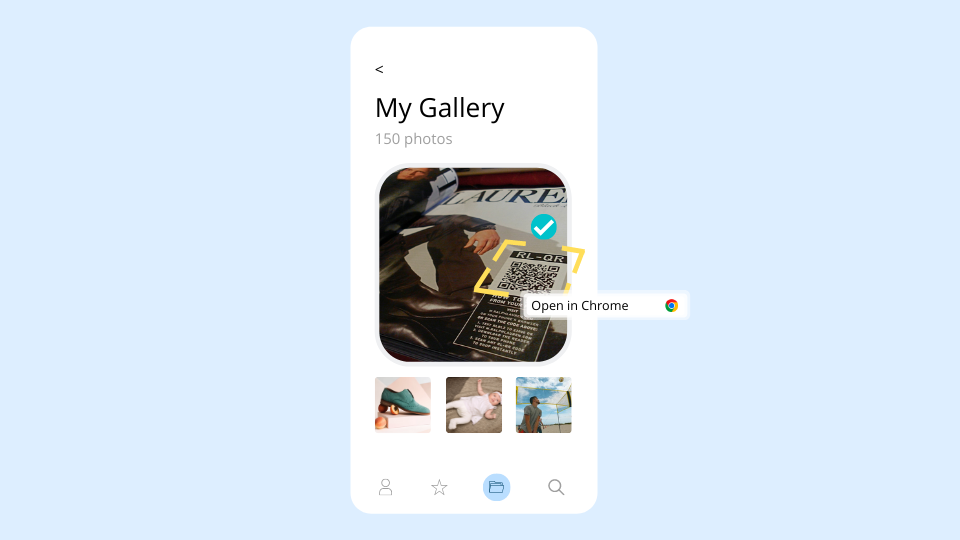
Most native camera apps only decode QR Codes in real time through the live viewfinder. To scan from a saved image, use Google Lens by tapping the image icon in the Google search bar, or use a scanner app such as Gamma Play that includes a gallery scan option. Some apps let you select a photo from your library and decode it offline.
- 7. Which is the best QR Code reader app?
For most users, the best QR Code reader is the camera app already on their phone. Android 9 and iOS 11 both scan QR Codes natively without any additional download. For users who need a dedicated app, TrendMicro's Safe QR Code Reader is the best choice for security-conscious scanning: it previews the destination URL before opening the link and runs it against TrendMicro's threat database. For Android users who want a full-featured free option, QR & Barcode Scanner by Gamma Play is the most widely used choice.
- 8. What is the best free QR code scanner?
The best free QR Code scanner is your phone's built-in camera, if you are on Android 9 or later or iOS 11 or later. For a dedicated free scanner app, QR & Barcode Scanner by Gamma Play has the broadest feature set at no cost, though it is ad-supported. TrendMicro's Safe QR Code Reader is also free and adds URL safety checking. Binary Eye is free, open-source, and ad-free on Android.
- 9. Does my phone have a built-in QR scanner?
Yes, if your phone runs Android 9 (released 2018) or later, or iOS 11 (released 2017) or later. Open your camera app, point it at a QR Code, and tap the notification that appears. You do not need a separate scanner app for everyday use. On older Android devices, Google Lens or a dedicated scanner app fills the gap.
Related Posts
Smart QR Codes Explained: What They Are and How to Create One
Static QR Code: Definition, Uses, Benefits & Limitations
Multimedia QR Code generator: turn audio, video, images, and PDFs into one scannable code
The Complete Guide to QR Codes: How They Work, Types, and Best Practices
Do QR Codes Expire? How Long They Last & Why