How Much Data can a QR Code Hold? A Guide to QR Code Data Size
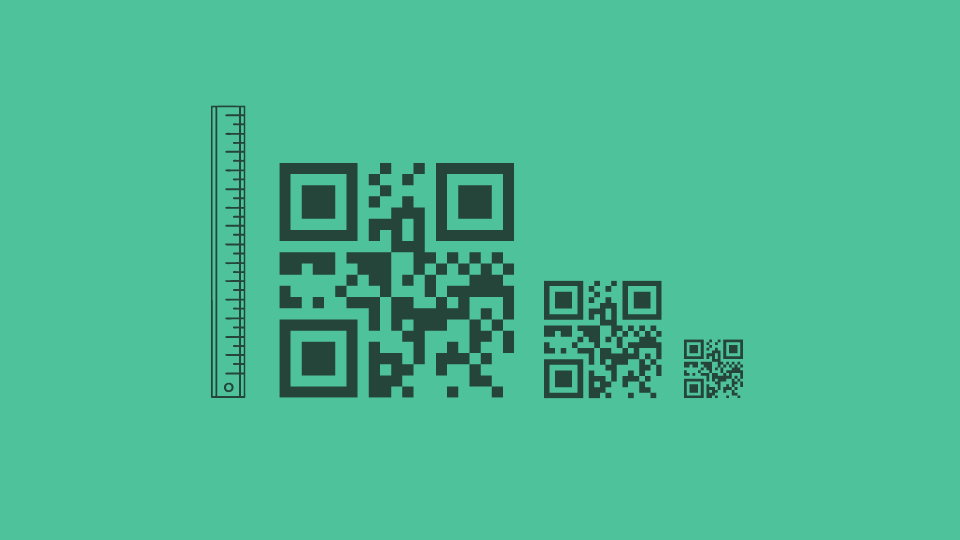
The exact amount of data QR Codes can hold depends on three things: size, error correction, and type. Larger QR Codes (higher versions) have more space to store data, while higher error correction levels sacrifice some space to make the code more scannable even if damaged.
A standard QR Code can store up to 7,089 numeric characters, 4,296 alphanumeric characters, 2,953 bytes of raw binary data, or 1,817 Kanji characters. The real constraint is how much data a QR Code can hold and still scan reliably at the size you're printing it, on the camera someone's actually using.
This guide breaks down exactly how much data a QR Code can store, what affects its capacity, and how it stacks up against other technologies like barcodes and NFC tags.
How much data can a QR Code store?
A standard static QR Code can store up to three kilobytes (KB) of data, which translates to:
- 7,089 numeric characters
- 4,296 alphanumeric characters (letters and numbers)
- 1,817 Kanji characters (Japanese logograms)
This is the maximum data, one regular, static QR Code can store, but it varies depending on the version, error correction, customization, and dynamic abilities.
To understand this, let’s first learn how QR Codes work and store data.
How does a QR Code store data?
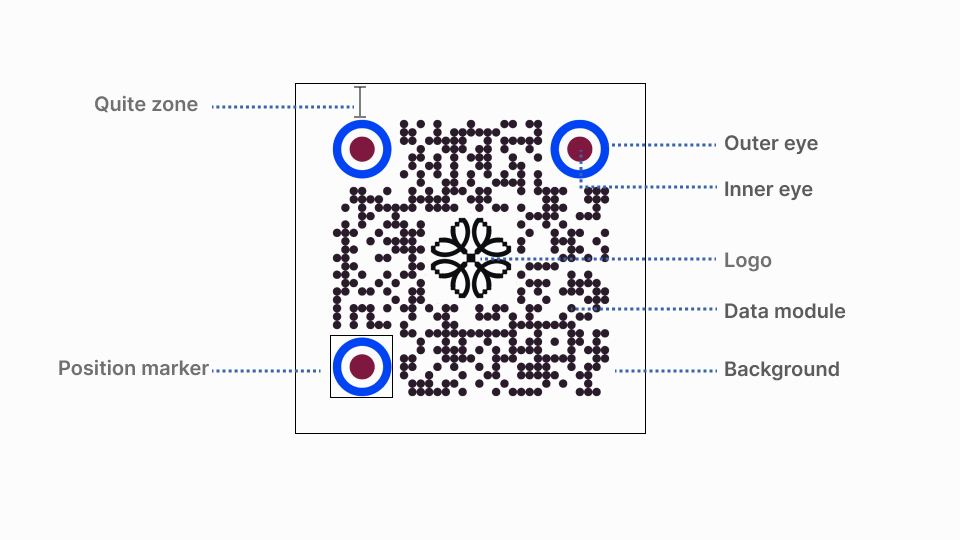
QR Codes utilize a system to encode information in seemingly random patterns of black-and-white squares. Mobile devices can interpret this pattern.
Here’s a breakdown of their data storage:
1. Binary translation: When you scan a QR Code, your mobile device converts the data in QR Code patterns into binary code. This code uses a series of zeros and ones that the QR Code can represent visually.
2. Square grid: A QR Code is a square grid composed of smaller squares called modules. These modules can be black or white, corresponding to the values in the binary code (black for 1, white for 0).
3. Multiple modes: Different data types require unique storage methods. For example, the numeric mode for numbers, the alphanumeric mode for combining letters and numbers, the byte mode for raw data, and even a special mode for Kanji characters.
When you scan a QR Code, your phone translates the pattern of modules into the information hidden inside. This lets you quickly open a website, view a menu, or save someone’s phone number without typing anything.
4. Error correction: QR Codes incorporate error correction techniques to ensure reliability even if the code is slightly damaged. This involves adding redundant data that allows the scanner to reconstruct the original information even if some modules are missing or misread.
Factors affecting QR Code data storage
The amount of data a QR Code can store depends on two crucial factors:
1. QR Code version
QR Codes come in different sizes, identified by versions ranging from 1 to 40.
Each version represents a specific grid size, containing a certain number of modules (the individual squares). The larger the version, the more modules it has; consequently, its data storage capacity is greater.
- Versions 1-7: They are typically used for small amounts of data (e.g., URLs), and they have limited storage capacity. These versions offer lower error correction (around 7% data recovery) and are suitable for situations where data integrity is less critical.
- Versions 8-20: They offer a good balance between data storage and error correction, suitable for general use (e.g., contact information, business cards). These versions typically provide 15% error correction.
- Versions 21-40: Provide the highest data storage capacity but may require higher error correction levels for reliable scanning, especially when printed at smaller sizes or used in challenging environments. These versions can offer error correction ranging from 25% (Q level) to 30% (H level).
Think of different QR Code versions like expanding a table. Just like adding more rows and columns to a table gives you more space to write information, adding more modules to QR Codes allows you to add more data.
2. Error correction level
Error correction levels in QR Codes determine the amount of redundant information embedded within the code. This information improves a QR Code’s scanability, even if damaged or partially obscured.
Here’s how different error corrections impact QR Code storage:
- L (Low) or 7%: Offers minimal error correction, suitable for situations where data integrity is less critical and maximizing storage is desired. Suitable for short URLs printed in magazines or on billboards where damage is unlikely
- M (Medium) or 15%: Provides a moderate level of error correction, ideal for most general use cases. It is ideal for most business applications such as product labels or digital business cards that may encounter minor wear and tear.
- Q (Quartile) or 25%: Enhances error correction further, suitable for scenarios with potential for moderate damage or distortion. Perfect for printing tickets or Wi-Fi credentials that might get slightly crumpled or exposed to moisture.
- H (High) or 30%: Offers the strongest error correction level, used for critical applications where data integrity is paramount, even with significant damage or challenging reading conditions. It is best for critical information such as medical records or financial transactions where minor errors can have significant consequences.
Higher error correction levels (M, Q, H) add more redundancy, ensuring better scanning accuracy but reducing the available data storage space. This is because the extra information takes up space that could otherwise be used for the data you want to encode.
Imagine adding safety copies to important documents to prevent loss. While these copies provide security, they also occupy space you could use to store other information.
How do different types of QR Codes store data?
We have already seen the classification of QR Codes based on versions available (Version 1 – 40). This classification focuses on variations in data capacity and error correction. However, another way to classify QR Codes is based on overall design, purpose, and function.
Let’s look at different QR Code types and how they store data:
Standard QR Code
Standard QR Codes offer the most data storage capacity and are suitable for most applications. They can hold up to 4,296 alphanumeric characters, 7,089 numeric characters, or 1,817 Kanji characters.
Micro QR Code
Designed for situations with limited space, such as business cards or small product packaging, Micro QR Codes can hold around 80 alphanumeric characters. Their versions range from 1 to 4, supporting the same error correction levels (L, M, Q, H) as standard QR Codes.
Mini QR Code
Even smaller than Micro QR Codes, Mini QR Codes are suitable for applications with minimal space, such as jewelry or circuit boards. They offer minimal storage, around 35 alphanumeric characters, with versions ranging from 1 to 4 and supporting L, M, and Q error correction levels.
Here’s a table summarizing the key characteristics of each type:
| Type | Max data storage (alphanumeric characters) | Versions | Error correction levels |
|---|---|---|---|
| Standard QR Code | 4,296 | 1-40 | L, M, Q, H |
| Micro QR Code | 80 | 1-4 | L, M, Q, H |
| Mini QR Code | 35 | 1-4 | L, M, Q |
Data storage in Static vs. Dynamic QR Codes
While both static and dynamic QR Codes have their advantages, their data storage capabilities differ due to how they handle information:
Static QR Codes
Static QR Codes directly store the data you want to encode, utilizing the entire available storage capacity based on the chosen version and error correction level. This translates to maximizing data storage within the limitations of the format.
Dynamic QR Codes
Instead of storing the actual data, dynamic QR Codes encode a shorter URL that points to an online server where your information resides. This lets users update the URLs but slightly reduces the available storage capacity compared to static codes with the same version and error correction level.
Here’s a simple analogy, imagine a box:
- A static QR Code is like filling the entire box with your data (text, URL, etc.)
- A dynamic QR Code is like putting a note inside the box pointing you to another location (server) where the information is stored. While the note itself takes up some space, the majority of the box remains available for packing other items (redirection URL).
How to create a dynamic QR Code for different data needs
The version, error correction, and encoding decisions above stop being abstract once you build a code for a real use case. Here's the process on Uniqode.
1. Choose your data type and use case
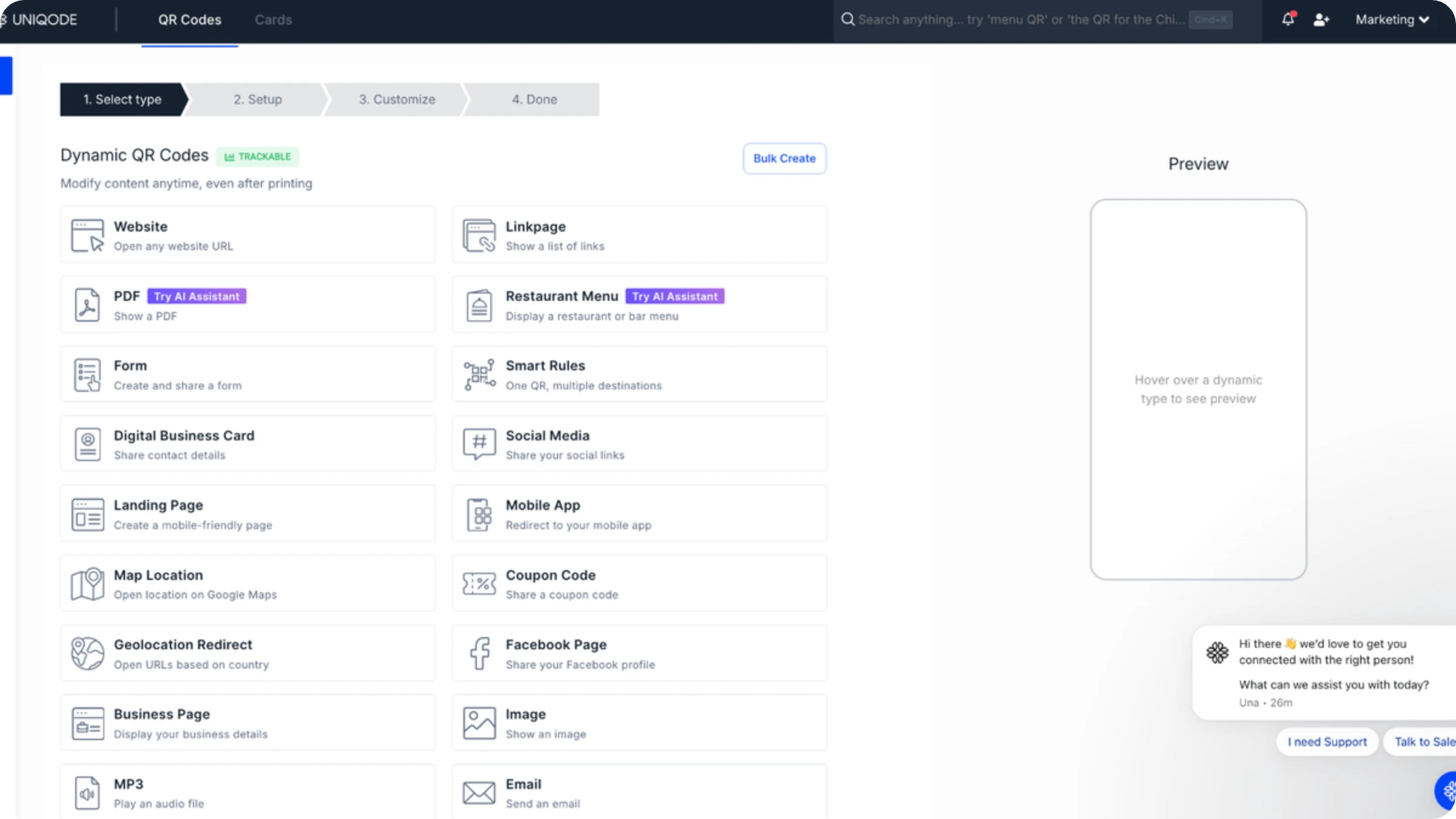
Decide what the code needs to carry: a menu, a product page, a contact card, a form. The use case sets the encoding mode and roughly how much content the destination will need to hold over time.
2. Enter your destination
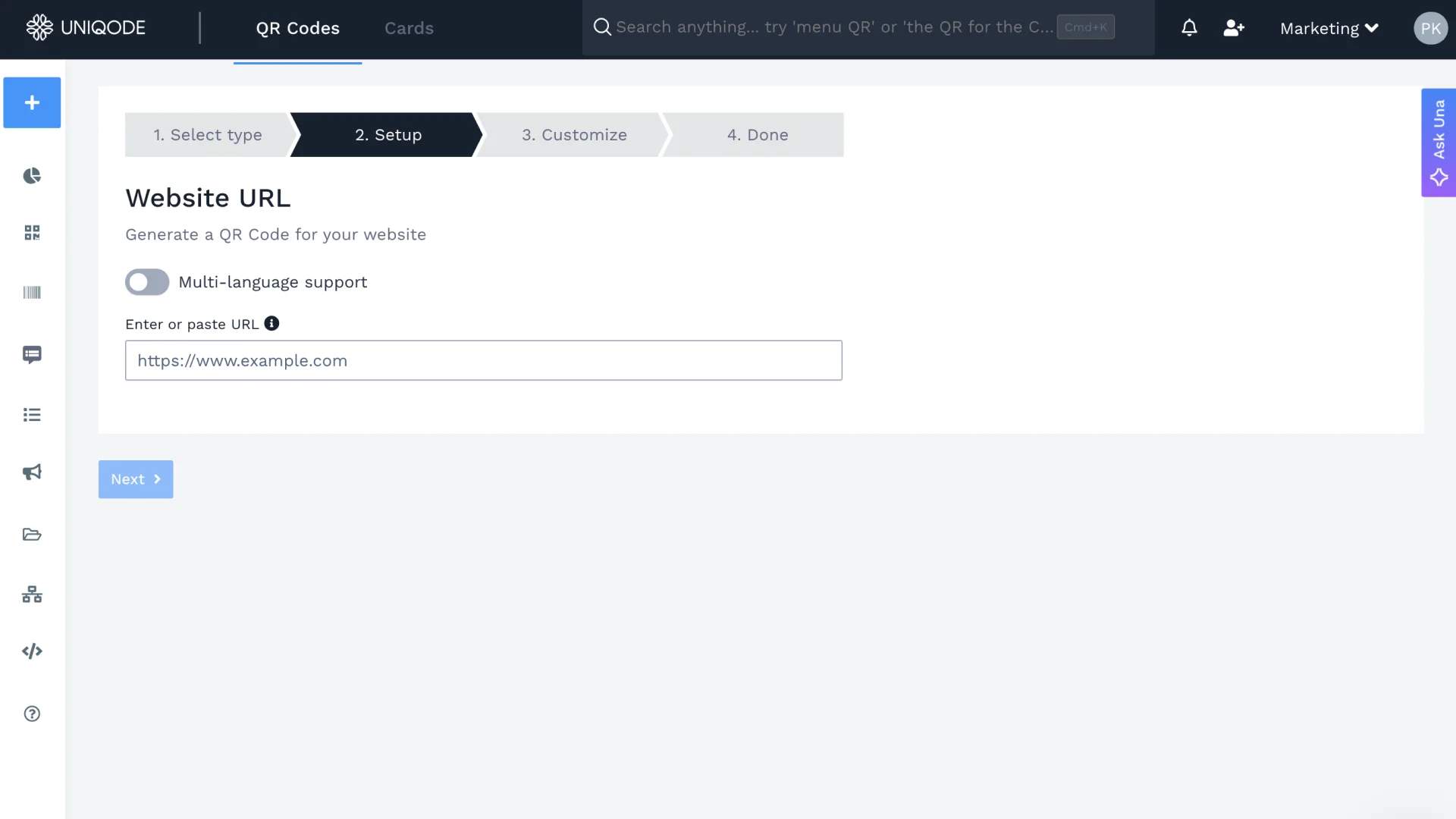
Set up a dynamic QR Code pointing to a short link instead of the full destination. Uniqode generates this short URL automatically, which keeps the grid simple regardless of how long or complex the actual destination page is.
3. Customize the QR Code
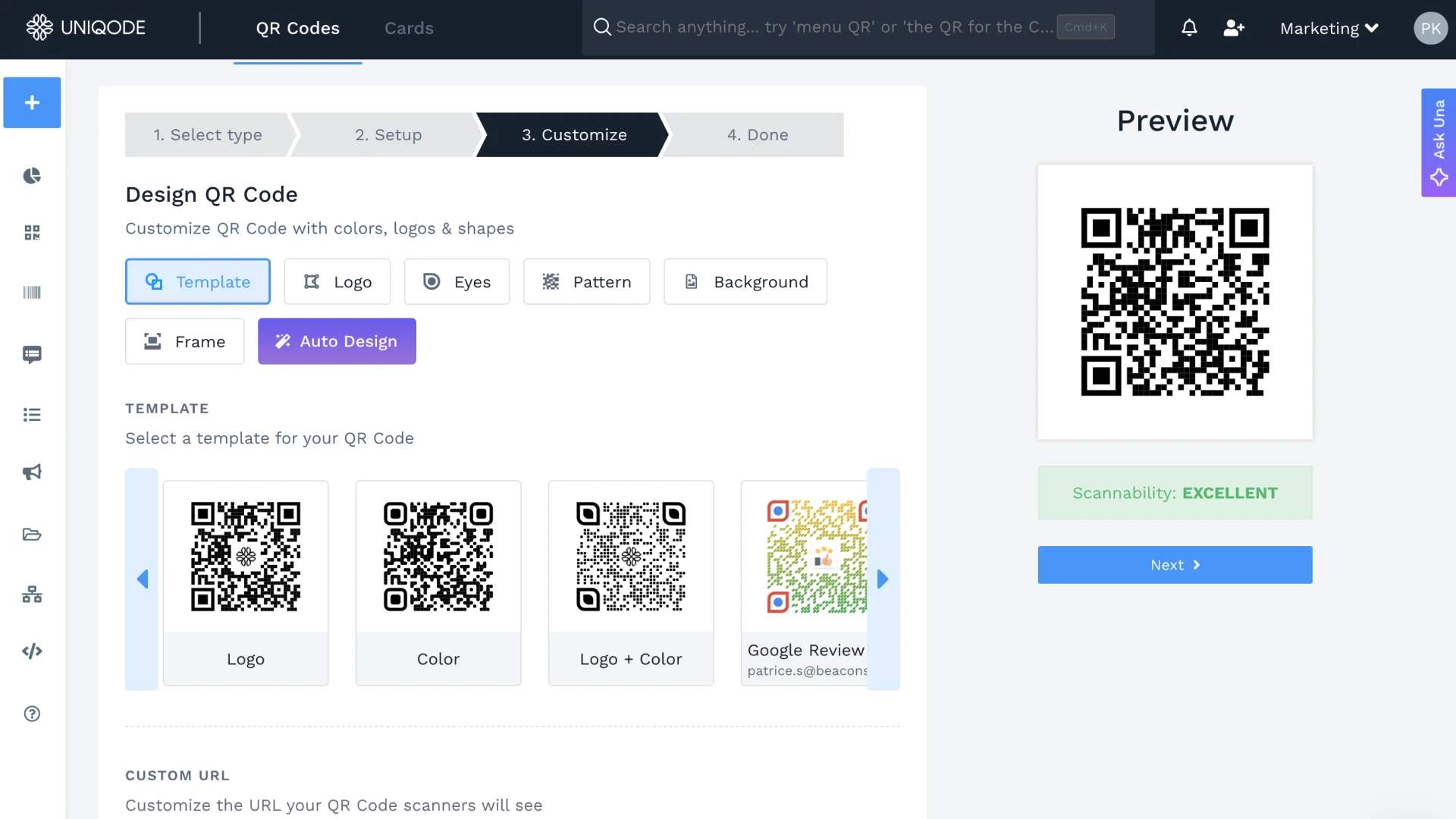
Once your URL is set, customize the QR Code to match your brand. With Uniqode, you can change the color, add your logo, and adjust the shape of the patterns and eyes.
4. Test and download
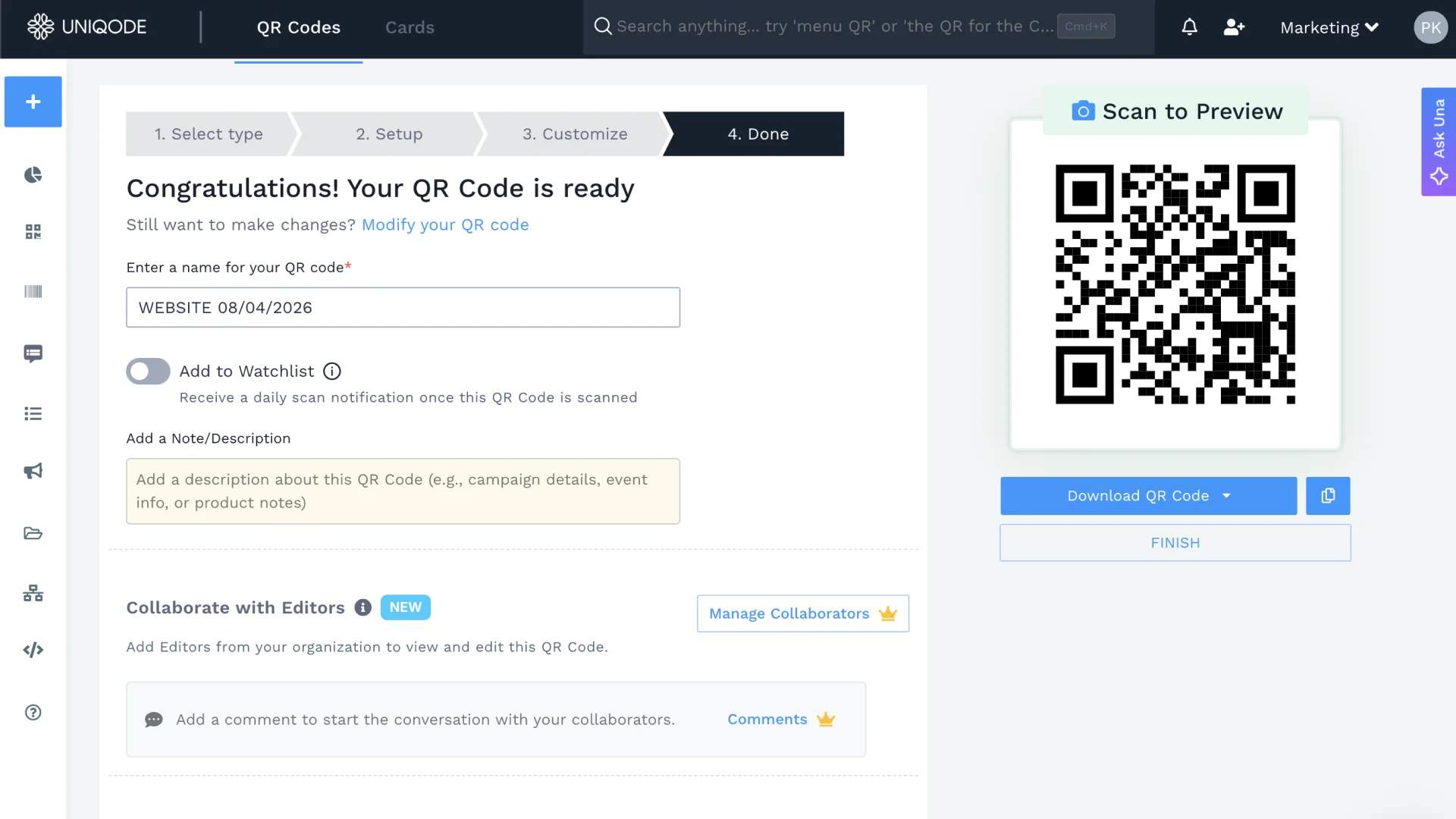
Test the scannability score, and download the QR Code. Print or preview the code at the exact size it will ship at, then scan it with a few different phones. A code that scans cleanly on a laptop screen can still fail at two inches on a table tent if the print size wasn't part of the test.
3 factors that control QR Code data size
Every QR Code's capacity comes down to three choices, made together.
- Version: The grid size. Version 1 holds 41 numeric characters. Version 40 holds 7,089. More modules in the grid means more room for data.
- Error correction level: The redundancy built in. Level L keeps 93% of the grid for data. Level H drops that to 70%, since 30% rebuilds damaged sections. More redundancy, less usable payload, at the same version.
- Encoding mode: The character type stored. Numeric mode fits the most characters, alphanumeric fewer, byte mode fewer still, Kanji somewhere between numeric and alphanumeric. Same version, different capacity, depending on the mode.
Change one factor and the other two absorb the difference. A QR Code management platform like Uniqode shows which factor is actually limiting a specific code, instead of leaving you to guess from a spec table.
How do QR Codes fare against similar technologies?
QR Codes are not the only machine-readable codes. QR Codes joined the bandwagon later than others, such as barcodes.
Let’s look at some QR Code alternatives:
1. Barcodes
Barcodes, the striped patterns you see on product packaging, offer a much smaller information capacity, typically limited to 20-40 characters. This restricts them mainly to product identification and tracking.
NFC tags
NFC tags boast a data storage range similar to QR Codes, capable of holding up to 133 KB. However, their functionality diverges.
Unlike QR Codes, which you can scan from a distance with a mobile device camera, NFC tags require physical contact with an NFC-enabled device to be read, making the process slightly less convenient.
Data matrix
These codes resemble QR Codes visually but are typically smaller and offer a slightly lower data capacity. They usually hold up to 2,335 characters of alphanumeric data and are commonly used when space is limited, like on small electronic components or medical devices.
Radio-frequency identification (RFID)
RFID technology doesn’t use visual code for data storage. Instead, it relies on microchips embedded in tags that communicate wirelessly with readers.
While the data capacity of RFID tags varies greatly depending on the type, their storage can range from a few bytes to several kilobytes, even reaching megabytes in specific industrial applications.
RFID’s dynamic data capacity makes them suitable for complex data needs, including product tracking with additional details, access control, and even storing financial information.
Make every scan count
QR Codes pack a surprising amount of data into a small square, but the real question was never just about capacity. It's about using that capacity wisely.
The version, error correction level, and encoding mode you choose all shape how much a QR Code can hold and how reliably it scans in the real world. And if your content changes over time, dynamic QR Codes make sure you never have to start over from scratch.
Whether you're adding a QR Code to a product label, a business card, or a billboard, Uniqode gives you the controls to get it right the first time and update it anytime after. SIgn up for a free trial.
Frequently Asked Questions
- Do QR Codes store data?
Yes, QR Codes can store various data types, including text, URLs, contact information, and even small images. The data they can hold depends on the QR Code’s type, size (version), and error correction level.
- Is there a size limit for QR Codes?
Yes, there is a size limit for QR Codes. They come in various versions (1-40), with version 40 being the largest. The maximum number of modules (squares) in a version 40 code dictates the data storage limit.
- What is the ideal size of a digital QR Code?
The ideal size for a digital QR Code depends on its intended use and viewing distance. Generally, a minimum size of 2.5 cm x 2.5 cm is recommended for optimal scanning, but larger sizes may be needed for longer viewing distances.
About the Author
Ektha is a QR code expert with years of research and analysis into the evolution of QR codes. Having written over 70 in-depth articles on QR technology, she has developed a comprehensive understanding of how QR codes are transforming industries. Her insights, including The State of QR Report, have been featured in leading publications. With a passion for simplifying complex topics and providing actionable strategies, Ektha helps businesses leverage QR codes to enhance their 'phygital' connections.